Smart HR Management App

Manage Your HR Like Never Before

Paylap HRM automates attendance, payroll, leaves & employee management — all from a single powerful mobile app for iOS & Android.
4.8★
Store Rating
10K+
Active Users
500+
Companies
2
Platforms
Attendance Marked
9:02 AM · GPS Verified
💰
Payroll Generated
Feb 2026 · ₹2.4L Total
📋
Leave Approved
3 days · Auto-notified
Paylap HRM Dashboard
Employee Management
GPS Attendance
Payroll Automation
Leave Management
Multi-Company
Holiday Calendar
Digital Payslips
OTP Security
Analytics
Departments
Employee Management
GPS Attendance
Payroll Automation
Leave Management
Multi-Company
Holiday Calendar
Digital Payslips
OTP Security
Analytics
Departments
🏢

Paylap HRM

Company Dashboard Overview

500+
Companies
10K+
Employees
₹50Cr+
Payroll Processed
4.8★
User Rating
🚀
99.9% Uptime
Always reliable
✦ ABOUT US

Built for Modern HR Teams

Paylap HRM is an all-in-one HR platform that eliminates paperwork, automates payroll, and empowers teams with real-time data — available as a native mobile app.

🎯
Mission-Driven Design

Every feature solves a real HR challenge — from SMBs to enterprises.

🔒
Secure by Default

JWT-based auth with OTP verification keeps your HR data protected.

📱
Mobile-First

Native iOS & Android apps so your team can manage HR from anywhere.

🏢
Multi-Company Ready

Manage multiple businesses from one account with full data isolation.

⚡ FEATURES

Everything You Need to Run HR

A complete toolkit — from GPS attendance to automated payroll — all in one sleek mobile app.

Employees
Attendance
Payroll
Leaves
Companies
Holidays
Payslips
Security
👥

Employee Management

Full employee profiles with personal info, job details, bank accounts, photo uploads, and department assignments.

ProfilesBank DetailsDocs
📍

GPS Attendance

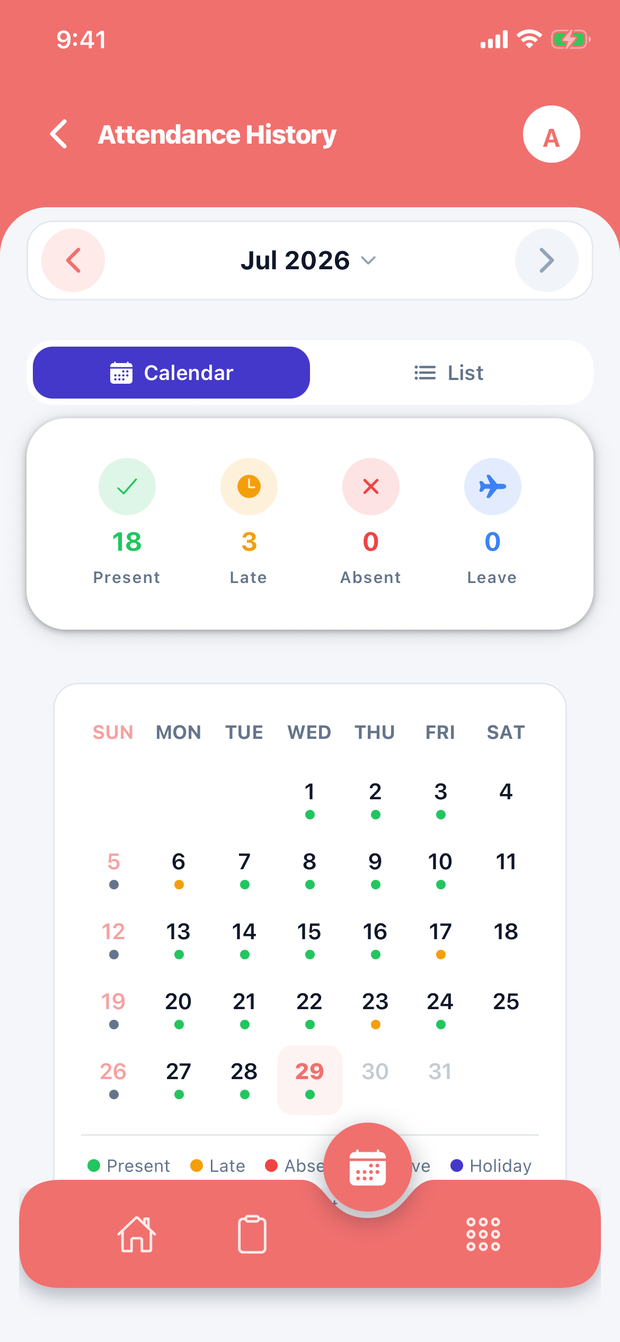
Location-aware clock-in/out. Track present, absent, late, and on-leave statuses with real-time GPS verification.

GPSReal-timeHistory
💰

Automated Payroll

Auto-calculate salaries from attendance data. Handle bonuses, advances, deductions, and overtime with full workflow: Draft → Approved → Paid.

Auto-CalcDeductionsWorkflow
🌴

Leave Management

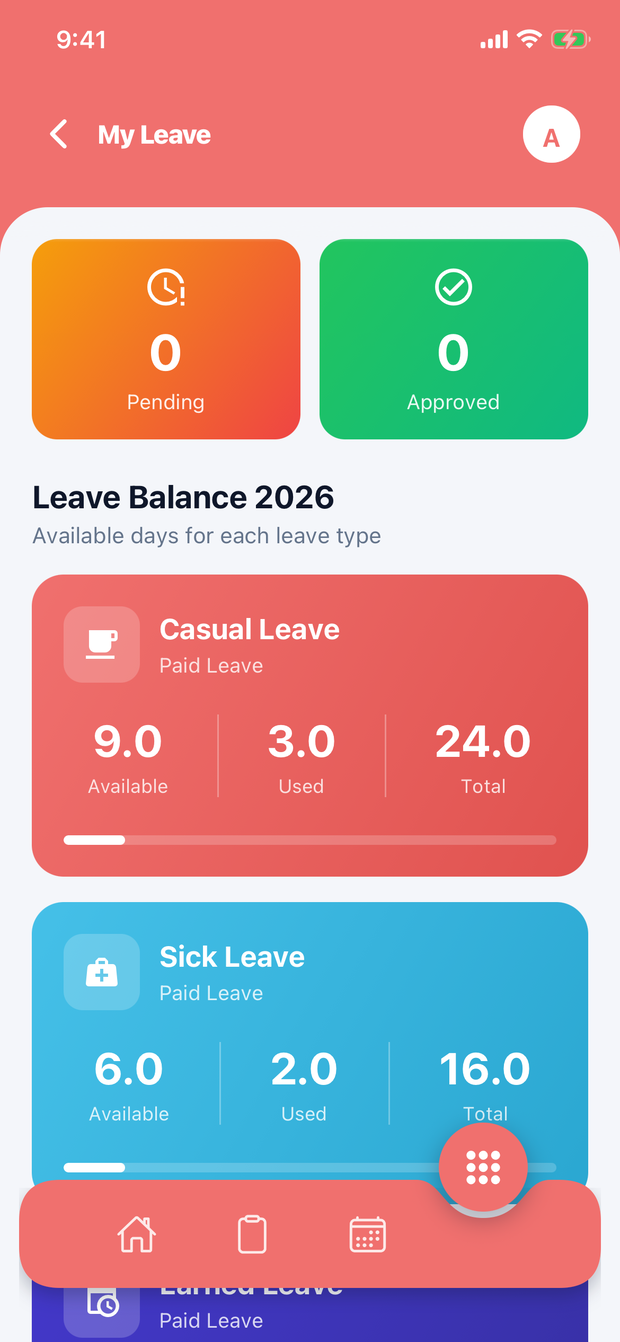
Request, approve, or reject leaves with full balance tracking. Paid & unpaid leave types, auto-integration with payroll.

RequestsApprovalsBalances
🏢

Multi-Company

Own and manage multiple companies from one account. Each company has isolated data — departments, employees, payroll, and settings.

Multi-TenantIsolatedScalable
🗓️

Holiday Calendar

Create and manage company holidays by type (Festival, National, etc.). Employees see upcoming holidays clearly in the app.

FestivalsNationalCustom
📄

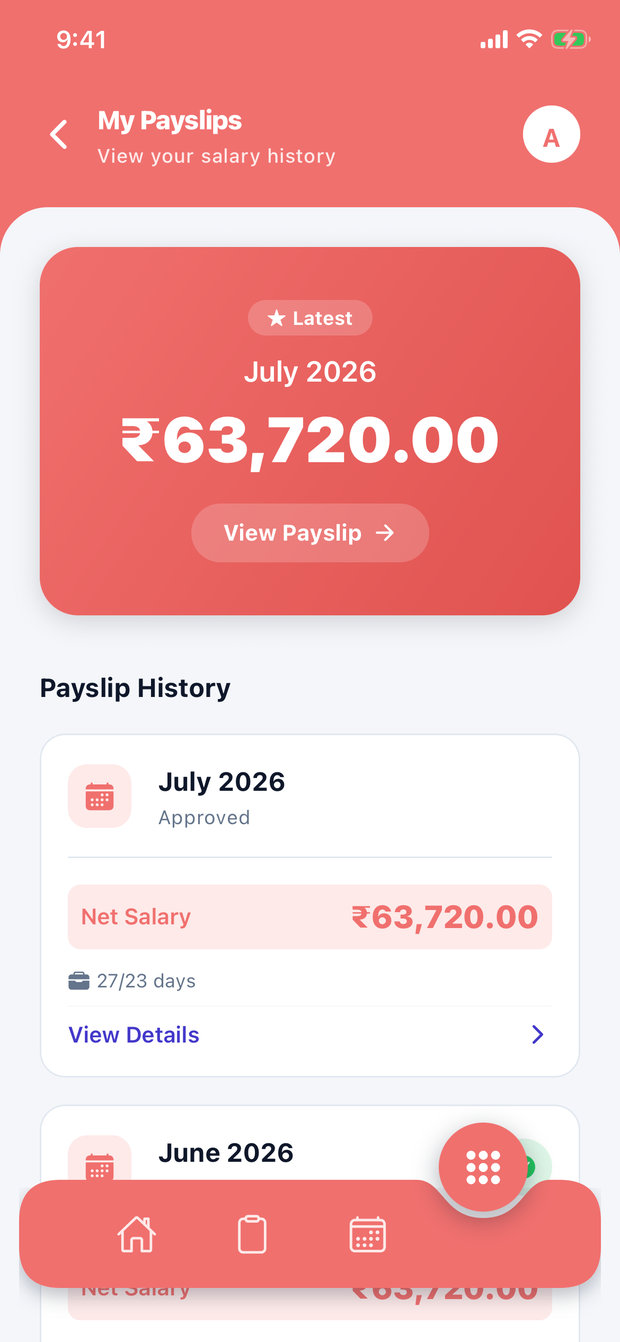
Digital Payslips

Auto-generate professional PDF payslips with full salary breakdowns. Employees view and download payslips anytime from the app.

PDF ExportDetailedHistory
🔑

OTP Authentication

No passwords. Secure 4-digit OTP via SMS expires in 5 minutes. JWT tokens with auto-refresh keep sessions safe.

OTP SMSJWTAuto-Refresh
📊

Analytics Dashboard

Real-time owner dashboard with attendance summaries, payroll totals, leave analytics, and company-wide KPIs at a glance.

DashboardReportsKPIs
📱 APP SCREENS

See Paylap HRM In Action

Real screenshots from the app — beautifully designed for both owners and employees.

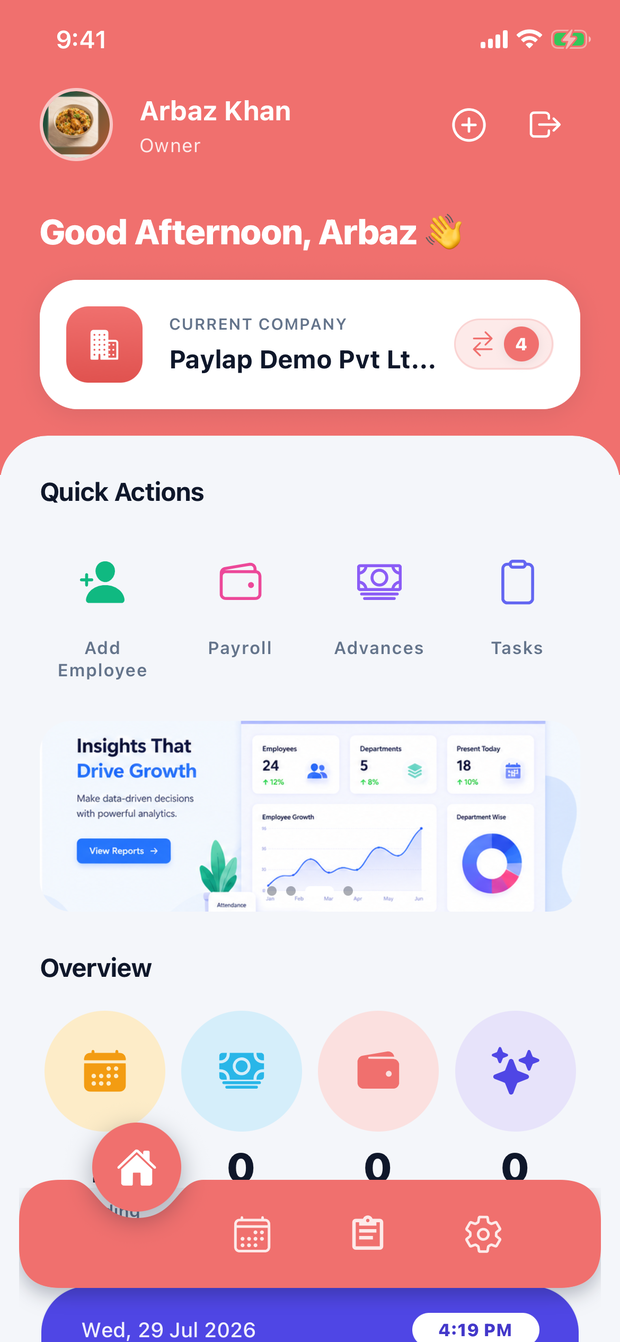
Owner Dashboard
🏠 DASHBOARD

Owner Dashboard — Full Control

The owner dashboard gives you an instant overview of your company: total employees, departments, attendance today, and quick-access shortcuts for the most common actions.

Quick Actions: Add Employee, Departments, Companies, Payroll
Live stats — employees, departments, companies, present today
Switch between multiple companies instantly
Bottom tab navigation: Dashboard, Attendance, Leaves, Settings
👥 EMPLOYEES

Employee List — Find Anyone Fast

A clean, searchable employee directory with avatars, employee codes, designations, and department tags. Add new employees with a single tap on the floating action button.

Search by name, code, or role
Color-coded avatars for instant recognition
Department tag (e.g. devops, HR, accounts)
Tap to view full profile, edit, or remove
Employees List
Attendance Tracking
📍 ATTENDANCE

Attendance Tracking — GPS Powered

Browse attendance day by day with a simple calendar navigator. See total, present, late, leave, and absent counts at a glance. Each employee row shows their status clearly.

Date navigator — browse any day
Status summary: Total / Present / Late / Leave / Absent
Per-employee status with colour-coded badges
GPS-verified clock-in from employee app
🌴 LEAVE REQUESTS

Leave Approvals — One Tap

All pending leave requests land in a dedicated view. See employee name, leave type, date range, and duration — then approve or reject with a single tap.

Filter by: Pending / Approved / Rejected
Full leave detail: type, duration, date range
One-tap Approve (green) or Reject (red)
Auto-syncs leave balance after approval
Leave Requests
Payroll
💰 PAYROLL

Payroll Generation — Fully Automated

Generate payroll for any month with one tap. The system automatically calculates salaries based on attendance, leaves, bonuses, and deductions — no spreadsheets needed.

Month/year picker with calendar icon
Total payrolls count & total amount card
One-tap "Generate Payroll" button
Workflow: Draft → Approved → Paid
🏢 COMPANIES

Multi-Company — One Account

Manage all your businesses from a single login. Each company card shows employee count, departments, and active status. Switch the active company instantly.

List all companies with employee & dept count
ACTIVE badge on the selected company
Edit company details or select a different one
Add new companies with the + FAB button
My Companies
0
Companies Managed
0
Active Employees
0
Crore Payroll Processed
0
Average Rating (out of 50)
🖼️ APP GALLERY

Beautiful UI, Real Screens

Every screen is crafted with care. Tap any screenshot to see the feature details.

Dashboard
🏠 Dashboard
Employees
👥 Employees
Attendance
📍 Attendance
Leave Requests
🌴 Leave Requests
Leave Types
📋 Leave Types
Payroll
💰 Payroll
Companies
🏢 Companies
Holiday Calendar
📅 Holiday Calendar
👥 USER ROLES

Two Roles, One Powerful App

Tailored experiences for business owners and their employees — each with the right tools.

👑

Owner / Admin

Full company management — create businesses, manage teams, approve payroll and leaves, and view analytics.

  • Create & manage multiple companies
  • Add departments & employees
  • Generate & approve payroll
  • Approve / reject leave requests
  • Manage holiday calendar
  • View attendance reports
  • Configure leave types
👤

Employee

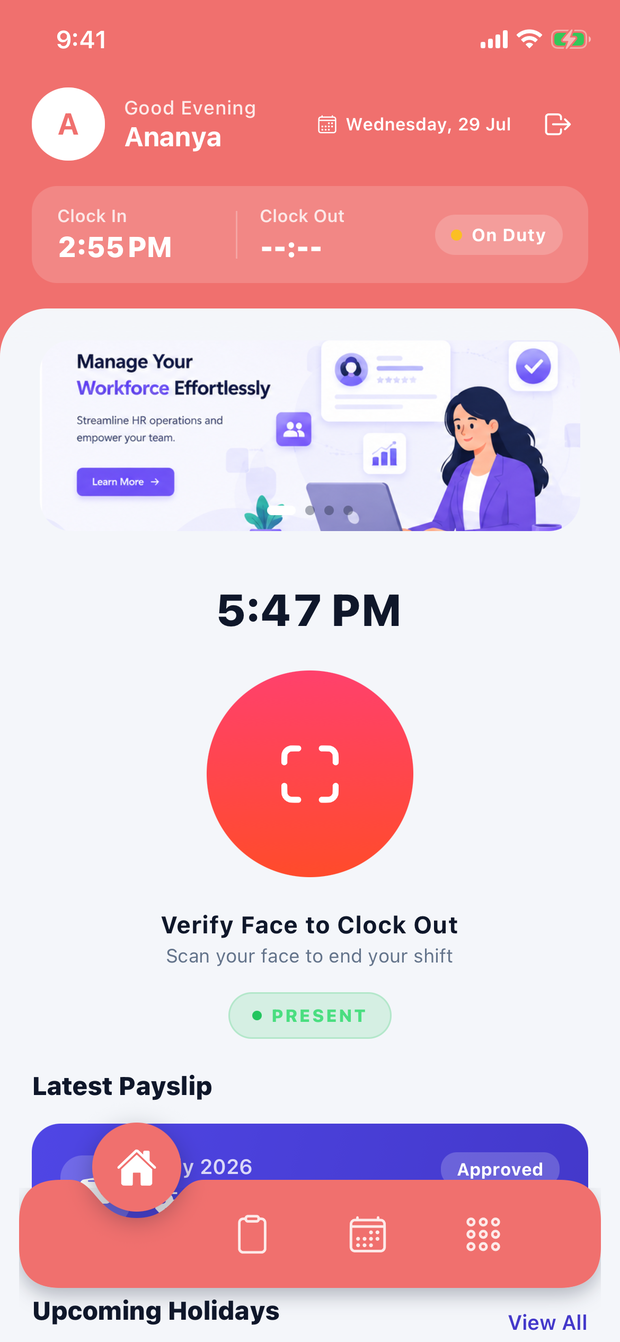
Dedicated self-service portal — mark attendance, apply for leaves, view payslips, and update your profile.

  • GPS clock-in / clock-out
  • View daily attendance history
  • Apply for leave requests
  • Check leave balance by type
  • View & download payslips
  • Update personal profile & photo
  • View upcoming holidays
🔄 HOW IT WORKS

Up & Running in Minutes

Three simple steps from download to full HR automation.

1

📲 Download & Verify

Install from App Store or Google Play. Enter your mobile number, receive a 4-digit OTP, and you're in — no password required.

2

🏢 Set Up Company

Create your company, add departments, and invite employees. Configure leave types, holiday calendar, and payroll settings to match your business.

3

⚡ Go Automated

Employees clock in with GPS. Payroll calculates automatically. Approve leaves in one tap. Generate payslips with a button press.

⭐ REVIEWS

Loved by HR Teams

Here's what business owners and HR managers say about Paylap HRM.

Verified User
"

Managing payroll used to take us 3 days every month. With Paylap HRM it's done in 10 minutes. The automatic calculation from attendance is brilliant.

RS
Rajesh Sharma
CEO, DataSoft Technology
App Store ★★★★★
"

The GPS attendance feature is a game changer. Our remote employees can clock in from their locations and we can verify it instantly. Very reliable app.

PM
Priya Mehta
HR Manager, TechVentures
Google Play ★★★★★
"

I run 3 companies and switching between them in Paylap is seamless. Digital payslips saved us a ton of paper work. Employees love the self-service portal.

AK
Amit Kumar
Director, AK Group of Companies
Verified User
"

The leave management workflow is excellent. Employees apply from the app, I get notified, and I approve in one tap. Leave balances update automatically.

SJ
Sunita Joshi
Operations Head, Nexus Corp
App Store ★★★★★
"

OTP login is so convenient — no forgotten passwords. The UI is clean and my employees figured it out without any training. Highly recommended!

VR
Vikram Rao
Founder, StartupHub India
Google Play ★★★★★
"

Holiday calendar and leave types are very well designed. Being able to set paid vs unpaid leave and carry-forward rules was exactly what we needed.

ND
Neha Desai
HR Director, GlobalTech Ltd
❓ FAQ

Frequently Asked Questions

Everything you need to know about Paylap HRM.

Is Paylap HRM free to download?
Yes! Paylap HRM is free to download on both the App Store (iOS) and Google Play (Android). Download it today and start managing your HR in minutes.
How does OTP login work?
Enter your mobile number, receive a 4-digit OTP via SMS, and verify it — that's all. No password to remember. OTPs expire in 5 minutes for security. JWT tokens keep you logged in automatically.
Can I manage multiple companies?
Absolutely. One owner account can manage unlimited companies. Each company has its own departments, employees, attendance records, payroll, and settings — completely isolated from each other.
How is payroll calculated automatically?
Paylap HRM uses attendance data (present days, absent days, late days, leaves) combined with the employee's salary settings (base salary, overtime rate, advance, penalties) to auto-calculate net payroll for any month. You review and approve before marking it as paid.
Does GPS attendance work offline?
GPS attendance requires an internet connection to verify location and sync the clock-in/out record to the server. A stable mobile data or Wi-Fi connection is recommended when marking attendance.
Can employees view and download their payslips?
Yes. Employees have a dedicated Payslips section in the app where they can view monthly salary breakdowns and download professional PDF payslips for any month directly from their phone.
How do I contact support?
You can reach us directly on WhatsApp at +91 85100 75444 (Mon–Sat, 9 AM–7 PM IST). Use the contact form below and your message will be sent straight to our WhatsApp for a fast response.
⬇️ DOWNLOAD NOW

Start Managing HR Smarter

Free on iOS & Android. No credit card. No setup fees.

Secure & Private
Auto Updates
iOS & Android
4.8 / 5 Rating
✉️ CONTACT

Let's Connect on WhatsApp

Questions about Paylap HRM? Fill the form and we'll reply on WhatsApp instantly.

WhatsApp Support

+91 85100 75444 — Instant response

Available On

iOS (App Store) & Android (Google Play)

Support Hours

Mon – Sat: 9:00 AM – 7:00 PM IST

Global Reach

Available worldwide — India & beyond

Send a Message 💬

Your inquiry goes directly to our WhatsApp.